Why Mebis
The Smart Learning System
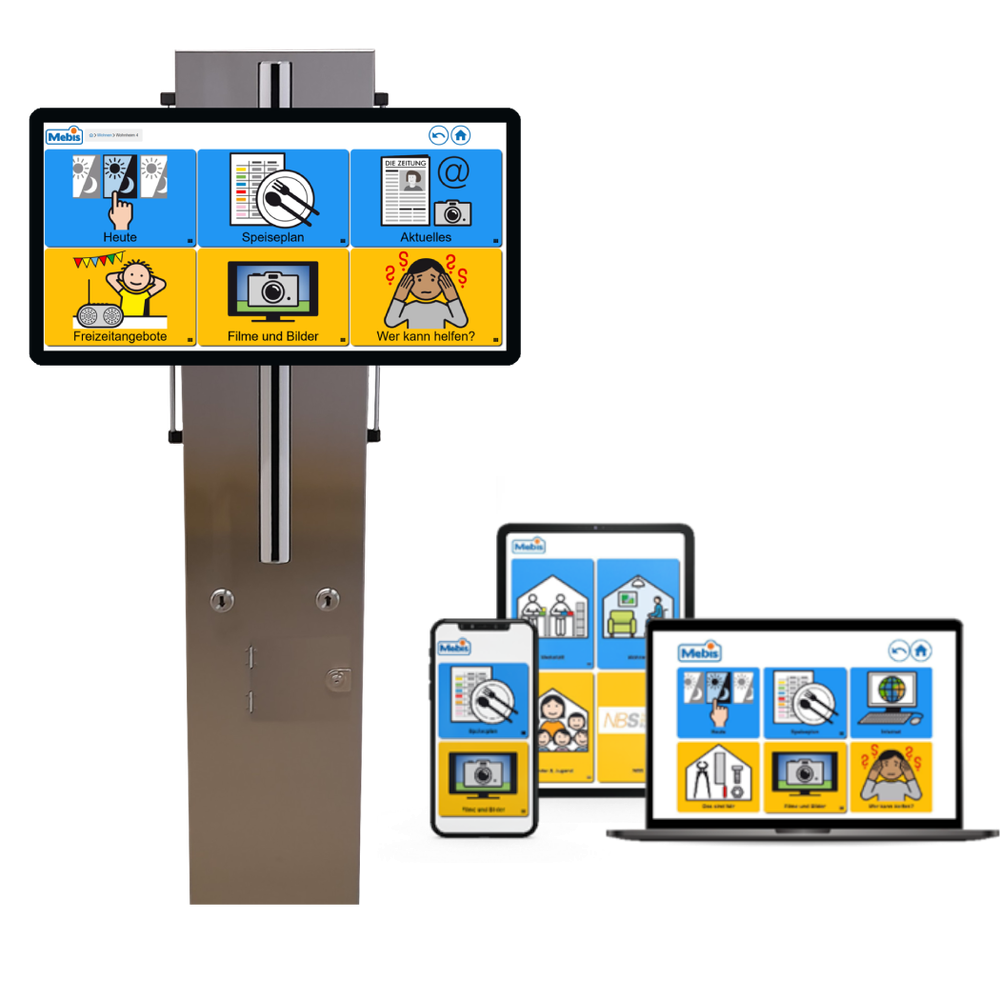
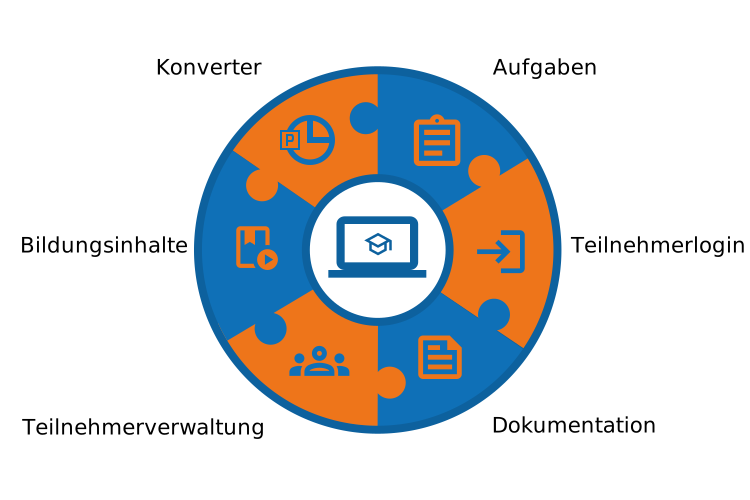
Accessibility in digital learning is more important than ever today. In an increasingly digitalized educational landscape, it is crucial that all people have access to modern learning systems – regardless of their individual limitations. Educational content also represents a form of information. Therefore, the learning system builds on the information system and has been expanded with several modules. Existing educational materials can be vocalized and imported directly into Mebis. These contents can be individually assigned to participants. The contents can be supplemented with playful tasks that help solidify what has been learned. Progress and results are documented and can be evaluated.
Why Mebis
The Learning Process
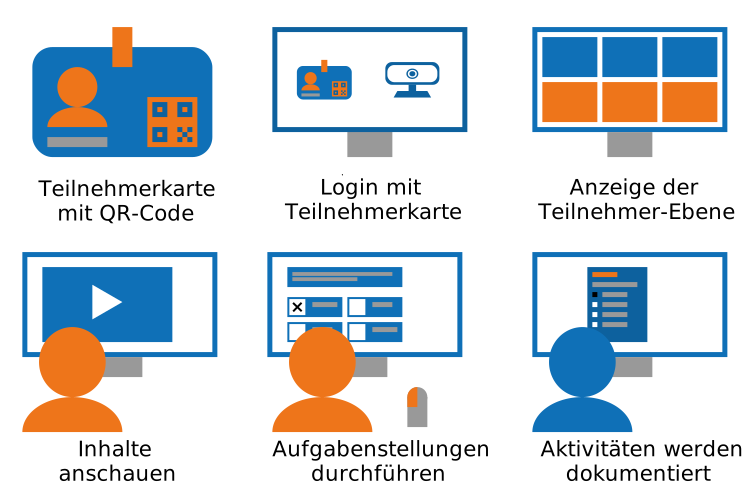
A typical process is as follows: Participants each receive a participant card with a unique QR code. With this QR code, participants can quickly and easily log into Mebis-Online. After successful login, the individual participant level opens. There they can view the educational content assigned by the vocational guide and solve tasks, as listed below. All activities are saved and documented in a participant log. ● Multiple Choice ● Sorting Task ● Category Assignment ● Spot the Error ● Labeling
Why Mebis
Converter - Vocalize Existing Content
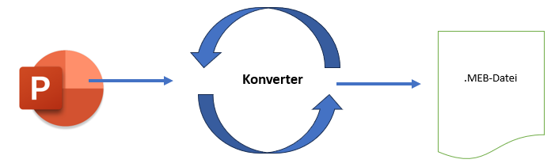
The converter is particularly noteworthy. With the converter, you can transform existing PowerPoint files into Mebis format and then import them. The converter recognizes all images and texts and vocalizes them. In Mebis, you then have the advantage that images and texts can be read aloud interactively.
Features
What Mebis Offers
Online
Mebis is cloud-based and requires no installation. Therefore, you can access it anytime from any internet-enabled device.
Data Protection
Mebis is GDPR-compliant and ensures the protection of your data according to the highest EU data protection standards.
Converter
Mebis includes a converter that transforms PowerPoint content into the Mebis format and automatically vocalizes slide texts so they can be read aloud with a click.
Accessibility
- Text-to-speech function for visually impaired users
- Height adjustment for optimal visibility
- Simple structure via large buttons
- Touch operation for intuitive use on various devices
- Voice and gesture control
Personalization
Mebis can be customized for each participant, allowing targeted educational content to be individually assigned. This tailors the learning process optimally to each user's needs.
Tasks
With Mebis, various tasks can be created—either through the integrated task types or via an interface to H5P. The results can then be evaluated to analyze the participants' learning progress and provide targeted feedback.
Testimonial
What Our Clients Say?
Try Mebis
Experience Mebis live! Use the live demo to get an initial insight into the functionalities and the user interface.
Please use the credentials below to access the demo system:
Username: demo
Password: demo